Founder:pay once, never think about it again. Now covers ytcut.org too.33 seats leftClaim a founder seat

Music visualizer with lyrics

Give your track a video that moves with it. Your artwork pulses with the bass, rings and bars follow the spectrum, and the words appear as they are sung. It exports as a vertical Short, and there is nothing to install.

  • Free every day, no card
  • Runs in the browser, phone included
  • No After Effects, no plugins, no template files
Real export. The artwork swells on the kick, the ring follows the spectrum, and the lit word is the one being sung.
What is on the screen

Four things, all driven by your audio

Every piece of movement on a Vid2Shorts music Short is measured from the track itself. Nothing runs on a timer, which is why it stays with the song instead of drifting away from it.

01

The emblem that pulses

Your cover art, a logo, a letter or a word, sitting in a circle that swells on the bass. This is the part people mean when they say the circle that moves with the music. Drag it anywhere, resize it, set how hard it reacts.

02

The spectrum

Rings, mirrored bars or a ribbon, following the real frequency spread of the track. Low end on one side, highs on the other, moving because the music moved. This is the audio spectrum look people build in After Effects.

03

The light

A field of floating particles that drift across the frame and brighten on each hit, plus comets, sparks and a glow that rides the same beat. It is what separates a still cover from something that feels alive.

04

The words

Captions transcribed from the audio and timed word by word, so the line lands with the vocal instead of sitting on screen as a block. The script stays editable, which is what makes it usable on a busy mix.

Fourteen styles

Pick a look, not a tutorial

Six of them are playing below, exported by the same renderer your Short goes through. The words burned into each clip are the caption engine doing its job, not a graphic laid over the top.
Track PlayerA player card with the song name, the artist and a bar that really tracks the clip.For the Spotify style player look
Nation PulseThe big centre emblem with a mirrored spectrum around it. The bass boosted channel look.For trap nation and bass boosted
Chill SpinA disc that turns while it plays, and slows when the track does. Lofi and slowed.For lofi, slowed and reverb
OrbitComets circling the artwork, flung wider on every hit.For something that moves a lot
EmberA lit rim that turns and throws sparks on every onset.For phonk and hard edits
TowerMirrored bars with peak caps that hang for a moment, then fall.For the classic equalizer bars

Eight more in the picker

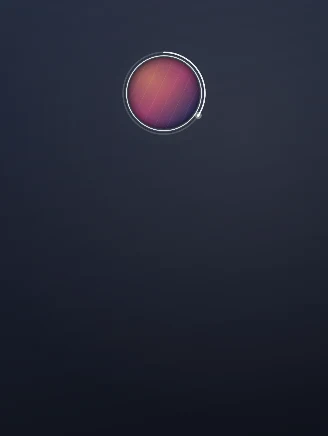
Podcast Badge visualizer preset: A small badge with a progress ring that never covers a face.
Podcast BadgeA small badge with a progress ring that never covers a face.
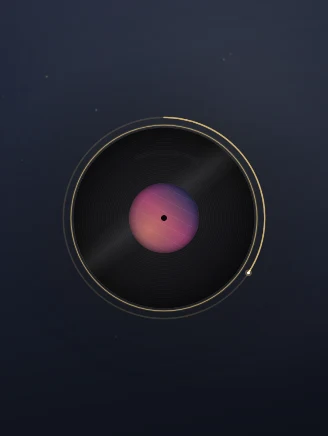
Vinyl visualizer preset: A spinning record with the artwork as the label.
VinylA spinning record with the artwork as the label.
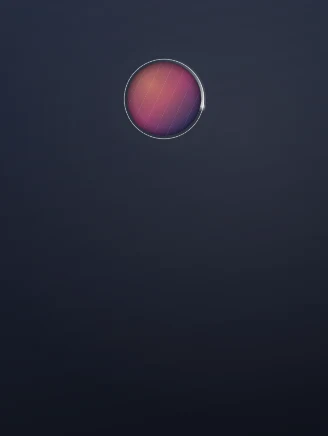
Halo visualizer preset: One slow light travelling a thin ring. Calm enough for an interview.
HaloOne slow light travelling a thin ring. Calm enough for an interview.
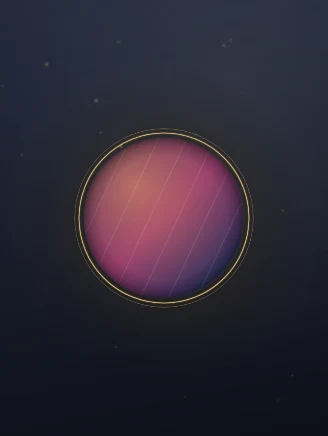
Gold Luxe visualizer preset: A warm gold ring with a slow glow.
Gold LuxeA warm gold ring with a slow glow.
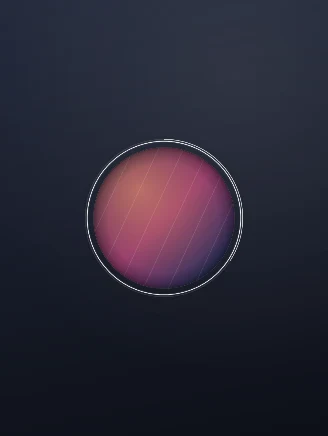
Minimal Ring visualizer preset: A thin ring and your mark. Clean enough for anything.
Minimal RingA thin ring and your mark. Clean enough for anything.
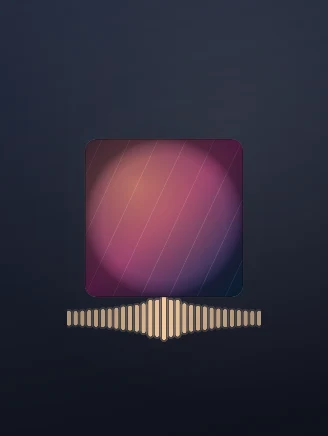
Album Card visualizer preset: Square artwork with a bar row underneath, like a player.
Album CardSquare artwork with a bar row underneath, like a player.
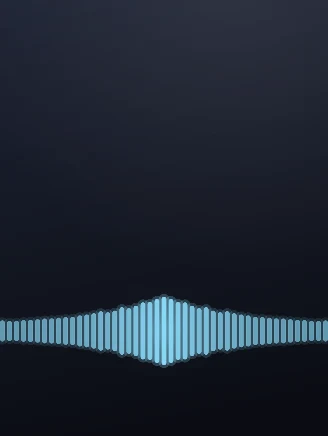
Waveform Strip visualizer preset: Full width bars along the bottom, so the footage stays clear.
Waveform StripFull width bars along the bottom, so the footage stays clear.
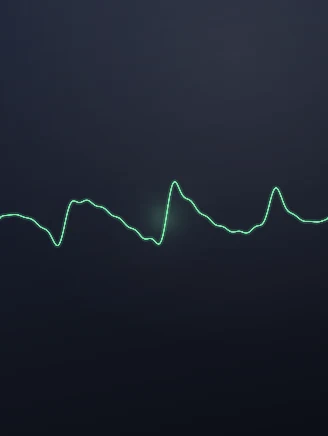
Oscilloscope visualizer preset: A single line that moves with the sound. Nothing else.
OscilloscopeA single line that moves with the sound. Nothing else.
The words

Lyrics that land on the beat, not on a block

This is the part almost no visualizer tool does. The free ones online will give you a spectrum and a cover, and then you are on your own for the words.

The audio is transcribed and every word gets its own start and end time. On screen that means the line arrives as it is sung and the current word lights up, which is the karaoke style people recognise from Shorts and Reels. You can switch the style, change the font, move the line up or down, and set the accent colour to match your artwork.

The script stays editable, and on music that matters more than it does on speech. A transcriber hears a clear vocal well. It hears a heavily processed one, a fast rap or a mumbled hook less well. So the honest workflow on a busy track is to let it do the first pass in a few seconds and then fix the handful of words it got wrong, which is still far quicker than typing and timing every line yourself.

Instrumental track? Turn captions off and the visualizer stands on its own, or type your own text layer instead: a title, a release date, a handle. Plenty of bass boosted and lofi channels run with no words at all.
The alternative you were about to try

The Trap Nation look, without After Effects

More than a million people have watched a single After Effects tutorial on building an audio spectrum visualizer. That is not curiosity. That is a lot of people who wanted this look badly enough to sit through an hour of somebody else's timeline.

The traditional route is genuinely heavy. You buy a template, discover it needs paid plugins such as Trapcode Particular or Element 3D, install a trial, fight the render queue, and end up with one video and a subscription you now pay monthly. The mobile route is Avee Player, where the template economy exists precisely because the app itself is fiddly and the output looks like 2017.

Here the same look is a preset. Nation Pulse is the big centre emblem with the mirrored spectrum. Ember is the lit rim that throws sparks. Tower is the classic bar wall with peak caps. You pick one, drop your artwork in the middle, choose a colour, and export. The whole thing happens on a page, on a phone if you like.

Ways to make a music visualizer, and what each one actually costs you
RouteWhat it needsLyrics on screenTime to first video
Vid2ShortsA browserYes, word by word, editableMinutes
After Effects templateA subscription, the template, often paid pluginsNot included, you animate themHours, plus the learning
Avee Player templatesAn Android phone, a template file to importNoAn evening of fiddling
Standalone visualizer sitesA browserAlmost neverMinutes, then you still need an editor

To be fair about the last row: several browser visualizers are genuinely free and some export with no watermark at all. If a bare spectrum video is the whole job, they will do it. The reason to be here instead is that the words, the vertical framing and the finished Short come out of the same page.

Who makes these

Built for the people who post music

Artists

You have a track and no video

A release needs something to upload. Cover art in the middle, the title on the card, the hook captioned, exported vertical for a teaser and wide for the full upload. One session, both files.

Channels

Bass boosted, nightcore, phonk, lofi

The visualizer is the whole product for these channels and volume is the job. Nation Pulse and Ember were drawn for exactly this. Set your channel colour once and keep it across every upload.

Producers

Type beats, one video per beat

A beat seller uploading several a week cannot spend an hour each in a timeline. Swap the artwork, swap the title, export. The preset stays where you left it.

Podcasters

Audio only episodes that need a picture

This is the audiogram, done in the tool that also cuts your clips. Podcast Badge keeps a small mark and a progress ring in the corner while the captions carry the quote.

How it follows the music

Measured, not guessed

There is no model deciding what your song feels like. There is arithmetic, and it is worth knowing which arithmetic, because it tells you what the thing will do on your track.

01

The bass

Energy in the low band is tracked frame by frame and shaped with an attack and a release, so the emblem snaps out on the kick and settles rather than flickering.

02

The onsets

The moments a new hit begins are found separately from the bass level. Shockwaves, sparks and comet pushes fire on these, which is why they land on the beat and not slightly after it.

03

The spectrum

The frequency spread is sampled across the clip and drives the rings and bars, so a track heavy in the low mids looks different from a bright one. That difference is real, not decoration.

04

The words

The vocal is transcribed with a time on every word. Captions are drawn from those times, which is what puts the highlight on the right syllable.

One honest caveat about speech and music together: if the track has a music bed under a voice, the analyser reads the bed rather than the voice, so a talking clip does not make the emblem jump on every syllable. That is deliberate.
Start to finish

How to make a music visualizer with lyrics

1

Bring in the track

Paste a link to the song, or open the Studio with a clip you already have. Everything else is measured from this audio.

2

Pick a style and a colour

Fourteen presets in the picker. Drop your artwork or logo in the middle, drag it where you want it, set the size and how hard it reacts.

3

Turn the words on

Captions come from the audio with word level timing. Switch the style, then fix any word the transcriber misheard.

4

Export

Choose 9:16, 1:1 or 16:9 and export an mp4. Nothing is rendered until you press the button, so you can keep changing your mind for free.

What it costs

Free every day, and no credit maths

Stated plainly, because the thing people hate most in this category is discovering the limit after they have done the work.

PlanWhat you getWatermarkPrice
FreeOne Short a day, up to 30 seconds, every preset, captions includedSmall corner watermark$0
ProNo daily limit, any length, videos up to two hours long as a sourceNone$24.99 a month

Every preset is available on the free plan. The paid one removes the watermark and the daily limit rather than unlocking the good styles, because a picker full of padlocks is a bad way to find out whether a tool suits you. Full detail on the pricing page.

Questions

Answers, including the awkward ones

Is there a free music visualizer with lyrics?
Yes, this one. You add a song, pick a style, and the words appear on screen as they are sung, timed word by word. The free plan makes a Short every day at no cost and puts a small watermark in the corner. Pro removes the watermark and the daily limit. There are no credits and nothing expires.
How do the lyrics get on the video?
The audio is transcribed and each word is given its own start and end time, so the line lands with the vocal instead of sitting there as a block. You can then edit the script by hand, which matters for music: a transcriber hears a clear vocal well and a heavily mixed or mumbled one less well, so the fastest route on a busy track is to let it do the first pass and correct the words it missed.
How does the circle move with the music?
It is measured, not guessed. The audio is analysed for three things: the energy in the bass, the moments a new hit starts, and the frequency spectrum across the track. The emblem swells on the bass, the rings and bars follow the spectrum, and the particles brighten on each onset. Nothing is on a timer, which is why it stays with the song when the song changes.
Can I make a Trap Nation style video without After Effects?
Yes, and that is the reason this exists. The After Effects route means buying a template, often installing paid plugins like Trapcode Particular or Element 3D, and rendering locally. Here you pick the Nation Pulse preset, drop in your artwork, choose a colour and export. It runs in the browser and there is nothing to install.
What can I put in the middle of the visualizer?
Your cover art, an uploaded logo, a single letter, or a word you type. You can drag it anywhere in the frame, resize it, recolour it and set how hard it reacts to the beat.
What is the best free music visualizer online?
It depends on what you need at the end. If you only want a visualizer file and nothing else, several browser tools do that well and some export with no watermark at all. This one is worth your time when you want the finished thing: a vertical Short with the words on screen, cut to length, ready to post. The visualizer is one layer of an editor rather than the whole product.
Can I use it for a bass boosted or nightcore channel?
Yes, and those channels are exactly who the Nation Pulse and Ember presets were drawn for. Upload the track, pick the preset, set the colour to match your channel, and export. If you post a lot, Pro removes the daily limit.
What sizes and formats do I get?
Vertical 9 by 16 for Shorts, Reels and TikTok, square 1 by 1, and wide 16 by 9 for a normal YouTube upload. Every export is an mp4.
Can I monetize a music visualizer video on YouTube?
Only if you have the rights to the music. Your own track, a licensed track or a royalty free track is fine. Somebody else’s song will usually be claimed by Content ID, which sends the ad revenue to the rights holder and can block the video in some countries. The visualizer itself adds no rights problem. The music is the whole question.
Do I need to install anything?
No. It runs on one browser page and nothing is rendered until you export. There is no app, no plugin and no template file to import.
Does it work on a phone?
Yes. The editor and the export both work in a mobile browser, which is the difference between this and the desktop route. You do not need After Effects on a laptop to make the same kind of video.
How long can the video be?
Shorts length is what this is built for, so a clip up to a minute is the sweet spot and the free plan caps at 30 seconds. It is not the right tool for publishing a full hour long DJ mix.

Put your track on screen

Pick a preset, drop in your artwork, let the words follow the vocal. The first one is free and there is no account needed to see what it looks like.

Open the Studio

Keep going